
How Artificial Intelligence Is Changing Everyday Technology
Get stylish nickname for → with mix of unicode character, emoji and symbols to be used in Free Fire or Instagram as username.
Pick Style
Attitude Fancy Text꧁℠𝙷𝒶𝓃𝒹𝓅𝒾𝒸𝓀ℯ𝒹❥❤️☆࿐꧂
Handpicked Fancy Text༄ᵦᵣₒₖₑₙ💔𝔖𝔞𝔡💔❥❥═══
Sad Fancy Text៚★𝘽̶𝙤̶𝙡̶𝙙̶★♡¸.•*
Bold Fancy Text⌐╦╾━💥 𝓖𝓾𝓷 ⌯⁍
Gun Fancy Text═༻ 𝒞𝓾𝓇𝓼𝒾𝓿ℯ ༺═
Cursive Fancy Text╰Tɴ╯★𝔒𝖑𝔡 𝔈𝖓𝔤𝖑𝔦𝖘𝔥ꪜ
Old English Fancy Text▄▀ 𝔹̲𝔾̲𝕄̲𝕀̲ ▀▄
BGMI Fancy Text▄▀ 𝔏̶𝔦̶𝔫̶𝔢̶𝔰̶ ▀▄
Lines Fancy Text▛▀ ℬ𝓇𝒾𝒸𝓀 ▟▄
Brick Fancy Text★彡F̸r̷e̶a̸k̸y̶彡★
Freaky Fancy Text♡⋆。˚✧ ₛₘₐₗₗ բₐₙ꜀ᵧ ✧˚。⋆♡
Small Fancy Text♡彡 💗 𝗿𝗼𝗿𝗿𝗶𝗠 & 𝗽𝗶𝗹𝗙 💗 彡♡
Flip & Mirror Fancy Text⚡️💀 𝘽𝙄𝙂𝙊 💀⚡️
BIGO Fancy Text⚡️💀 𝘾̲𝙖̲𝙧̲𝙧̲𝙤̲𝙢̲ ̲𝙋̲𝙤̲𝙤̲𝙡̲ 💀⚡️
Carrom Pool Fancy Text✿Ɱའ. ɪɢɴ ★࿐
IGN Fancy Text❦𝓜𝓲𝓼𝓼⋆𝒢𝒾𝓇𝓁 ꧂
Girls Fancy Textᶜᴿᴬᶻᵞ 𝔽𝕣𝕖𝕖 𝔽𝕚𝕣𝕖 ༻꧂
Free Fire Fancy Textᴹᴿ᭄░𝘽𝙤𝙮𝙨 𝙁𝙖𝙣𝙘𝙮 𝙏𝙚𝙭𝙩✾░☄
Boys Fancy Textᡕᠵデᡁ᠊╾━ 𝓜̶𝓛̶𝓑̶𝓑̶ 💥
MLBB Fancy Text𓃷 𝐋𝐈𝐅𝐓 𝒢𝓎𝓂 ⚡︎
Gym Fancy Text𓆩💗𓆪 𝕀𝕟𝕤𝕥𝕒𝕘𝕣𝕒𝕞 𓆩💗𓆪
Instagram Fancy Text🌸˚˖𓍢ִ໋ℭ𝔲𝔱𝔢 𝔉𝔞𝔫𝔠𝔶 𝔗𝔢𝔵𝔱🌷͙֒✧🩷˚⋆
Cute Fancy Text💗💞 ⒷⓊⒷⒷⓁⒺ 💞💗
Bubble Fancy Text💥💢 𝐀𝐧𝐠𝐫𝐲 💢💥
Angry Fancy Text🚀💣 𝘈̶𝘝̶𝘈̶𝘒̶𝘐̶𝘕̶ 💣🚀
AVAKIN Fancy Text
👤 Latest Fancy Name
👤 Random Fancy Name
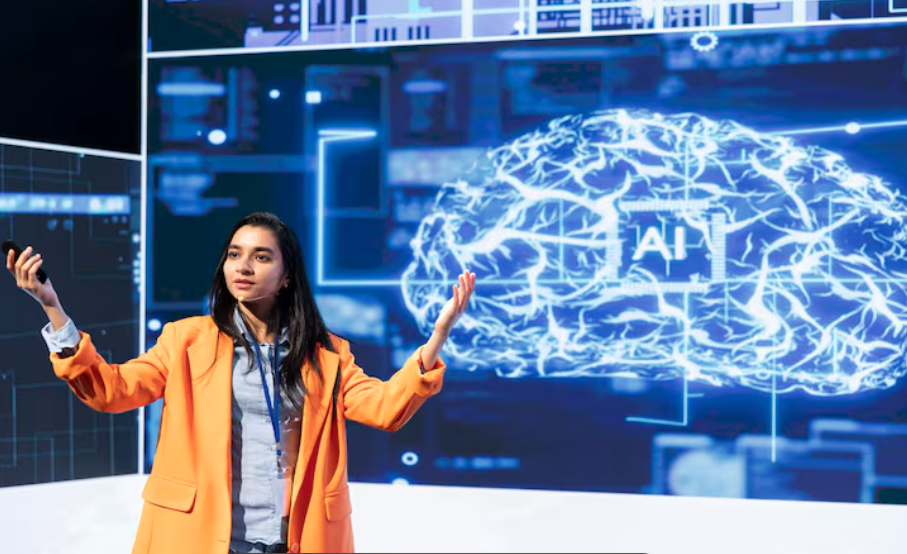
Artificial intelligence has become part of many familiar digital experiences. It helps filter unwanted emails, suggests words while typing, organizes photographs, and recommends content. People may use these features without thinking about the technology behind them.
AI changes how devices and software respond to information. Instead of relying entirely on fixed instructions, many AI systems use patterns learned from data to make predictions, recognize content, or generate responses.
These abilities can make everyday tools more convenient, but their usefulness depends on accuracy, design, and appropriate human oversight. Understanding where AI helps—and where it can make mistakes—allows people to use it more effectively.
1. Making Search More Conversational
Traditional search often requires users to choose keywords, review results, and gather information from several pages. AI adds ways to ask questions in ordinary language and refine them through follow-up requests.
Someone planning a household project might ask for an explanation, request a simpler version, and then compare possible approaches. This makes finding an initial overview more interactive.
However, a fluent answer does not guarantee accuracy. An AI system may misunderstand the question, leave out important details, or produce unsupported information.
For important decisions, users should check original sources and confirm that the information applies to their situation. AI can help begin the search, while source checking helps establish what to trust.
2. Expanding the Role of Digital Assistants
Digital assistants can help people set reminders, find information, manage calendars, and control compatible devices. AI can make these interactions more flexible by interpreting different ways of expressing a request.
A person might ask for help drafting a message or organizing a list of tasks. The assistant can offer a starting point that the user reviews and adjusts.
Its ability to take action depends on the tools, permissions, and services available. An assistant that can suggest an appointment time may not necessarily be able to book it.
Clear confirmations matter when an action affects purchases, private information, or other people. Convenience should come with a straightforward way to review what will happen.
3. Personalizing Recommendations
Recommendation systems use information such as viewing history, searches, and previous interactions to suggest relevant content.
This can help users discover music, films, products, or articles without browsing every available option. Recommendations may also change as someone’s interests change.
The experience can become narrower, though, when suggestions repeatedly resemble past choices. Users may miss unfamiliar subjects or alternatives that do not fit the system’s predictions.
Exploring outside recommendations and adjusting available preference settings can keep discovery more varied. A personalized suggestion is one option, rather than a complete account of what is available.
4. Improving Writing and Communication Tools
AI supports everyday communication through spelling correction, suggested replies, translation, transcription, and drafting assistance.
These tools can help someone turn rough notes into a clearer message, shorten a paragraph, or identify wording that needs improvement. They can also make long documents easier to approach by producing an initial summary.
Review remains necessary. A generated message may sound too formal, introduce a detail the writer did not intend, or change the meaning of the original text.
Translation and transcription can also struggle with context, names, accents, and specialized language. Checking important passages helps ensure the final communication reflects what the user wants to say.
5. Helping People Work With Photos and Media
AI can recognize patterns in images and support tasks such as organizing photographs, adjusting exposure, reducing background noise, and separating a subject from its surroundings.
These features make some editing tasks easier for people without specialist experience. A user can search a photo collection or make a simple correction with fewer manual steps.
Generative tools go further by creating or altering visual content. That can be useful for creative exploration, but it requires care when images are intended to document real events or products.
Users should distinguish between adjustments that improve presentation and changes that alter what an image shows. The purpose of the image determines which edits are appropriate.
6. Making Everyday Software Easier to Navigate
AI can provide another way to interact with software. Instead of finding every setting or command manually, users may be able to describe what they want to accomplish.
A business tool might help summarize notes, suggest a formula, or identify relevant information within a document collection. This can reduce the effort needed to begin an unfamiliar task.
The system still needs suitable access to the information involved. Its suggestions may also depend on incomplete records or a misunderstanding of the request.
People benefit from checking the result, particularly when calculations, customer communications, or shared records are involved.
7. Supporting More Accessible Experiences
AI features can help people interact with information in different formats.
Automatic captions can provide a text version of spoken content. Speech recognition allows some users to dictate instead of typing. Text-to-speech tools can read written material aloud, while image descriptions can help explain visual content.
The quality of these features varies. Captions may miss words, and image descriptions may overlook details or identify something incorrectly.
Accessible design therefore involves more than adding AI. Users need controls, alternative ways to complete tasks, and opportunities to correct errors. Well-designed features give people greater choice in how they use technology.
8. Assisting With Customer Support
AI can help businesses answer common questions, sort incoming requests, and direct customers toward relevant information.
A support assistant may explain how to track an order or locate a product guide. This can be useful when the request is straightforward and the underlying information is reliable.
More complicated issues may require a person who can investigate, interpret exceptions, or make an authorized decision. Customers should have a clear route to that assistance.
Effective support combines quick access to routine information with human attention when the situation needs it.
9. Identifying Unusual Digital Activity
AI systems can help identify patterns associated with spam, suspicious account behavior, or unusual transactions.
By examining signals across large amounts of activity, these systems can flag situations that deserve closer attention. This supports the work of security teams and other protective measures.
Detection is imperfect. A legitimate action may be flagged, while a harmful one may go unnoticed.
Users still need basic security habits, including strong passwords, secure account recovery details, and caution with unexpected requests. AI adds assistance, but account safety depends on several measures working together.
10. Bringing New Questions About Privacy
AI features may use information entered by users or collected through their activity. Understanding those data practices is part of choosing whether to use a tool.
Before uploading private documents or sharing sensitive details, review the service’s permissions and published information about data handling. Check whether controls are available for storage, access, and deletion.
Businesses should also establish clear rules about which information employees may enter into external tools.
A feature can be convenient while still requiring a thoughtful decision about what to share. Users should have enough information to make that decision confidently.
11. Changing the Skills People Need
As AI becomes part of ordinary software, knowing how to evaluate its output becomes increasingly useful.
Clear instructions help, but review is equally important. Users need to recognize missing context, unsupported claims, and results that do not match the task.
For example, someone using AI to summarize meeting notes should confirm that decisions and responsibilities are represented correctly. Someone generating a calculation should check the inputs and method.
These habits turn AI use into a process of asking, reviewing, and refining. Judgment remains central to getting a useful result.
Conclusion
Artificial intelligence is changing everyday technology by making familiar tools more responsive and introducing new ways to search, communicate, create, and organize information.
Its value depends on how well each feature serves the task. Checking important results, understanding permissions, and keeping human judgment involved help users benefit from AI while managing its limitations. As these tools become more familiar, thoughtful use will matter as much as the technology itself.