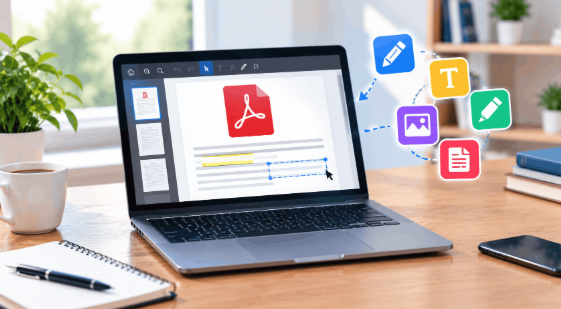
Some shift your layout, some store your files, while others fail to do the job entirely.
And this honestly is quite a lot of risk, especially when all you need is to fix a wrong date on a form that’s due today.
So, the only savior here is a free online PDF editor that can make your file editable in seconds and help you make the desired changes without any software.
Pick an Editor First
Before you decide how you can edit a PDF online, you first have to identify what exactly you want to change.
Whether it’s a typo you want to fix, a phrase you need to restructure, or you want to add a new page or section, why?
Because most free editors online only handle one of these.
Therefore, it’s best to know your requirements so you can choose the right tool before you upload anything.
3 Best PDF Editors You Can Trust
Confused which tool to trust online?
Here is our pick of the three best free PDF editors online that surely tick all the criteria mentioned.
So, keep reading.
-
RevPDF.ai
RevPDF.ai is a PDF editor that is built specifically with user convenience and privacy in mind.
The tool is widely recognized as an all-in-one PDF editor because it allows you to edit, sign, merge, and convert, all in a single place.
Moreover, the tool claims that it processes your files on your device, not on a server. This means none of your data ever leaves your device.
This is especially useful when your document contains names, confidential information, and stats.
Key features
- Font matching, with support for right-to-left scripts
- Redaction, form filling, and signing
- Built-in OCR
- Compare two PDFs and find and replace text
- Convert to Word and Excel, plus compression and page organizing
2. DocFly
DocFly is a smart online PDF editor that helps you create, convert, edit, and even secure your files online.
The tool doesn’t need any desktop installations or downloads.
Rather, all you need to do is just open it in your browser and get started. Edit any document you want.
It sticks to core document tasks. It has no API for developers.
Key features
- Create, edit, and convert PDFs to and from other formats
- Insert images, icons, and shapes; highlight text
- Reorder, extract, merge, and split pages
- Build fillable forms
- Add watermarks and optimize file size
- Lock files with a password
3. LightPDF
LightPDF is a PDF toolkit for educators, students, and office professionals, available on the web, desktop, and mobile.
It pairs standard editing, conversion, and OCR with AI tools, including a PDF agent that handles several tasks in one chat.
The free plan includes a web-only service, which honestly covers most of your basic PDF editing needs.
Key features
- Edit text, images, and links
- OCR for scanned PDFs
- Convert PDFs to Word, Excel, PowerPoint, and images
- AI document translation, PDF-to-mind-map, and a PDF agent
- eSign, annotate, watermark, and encrypt
- Merge, split, and compress
5-Step Guide to Smartly Edit a PDF Online for Free
Here is a quick but detailed guide covering every step you need to know to edit a PDF online for free.
So, keep reading.
Step 1: Open Your Browser and Select Your Tool
Open a browser on your computer, phone, or tablet. Online editors run on a webpage, so you don’t need to install anything.
Most editors show a menu of tools such as Edit, Merge, Split, Compress, Sign, Convert, Protect, and Annotate. If you only need to fix a typo or change a date, ignore the rest and open the Edit tool.
Before you go further, check what the tool does with your files. Look for a line in its privacy policy about encryption and deletion. If there is none, skip that editor.
Step 2: Upload Your PDF
Drag your PDF into the upload box, or click the upload button (usually labeled Choose File or Select File) and pick it from your device.
The file opens in the editor.
No PDF saved?
Many editors also accept Word files and images such as JPG and PNG and convert them on upload. Check the supported formats on the upload page.
Step 3: Edit the Text and Images
Select the text tool in the toolbar, click the spot on the page, and start typing. To change existing words, select them and type over them.
Watch the layout after your first edit. Some editors keep fonts and spacing intact. Others shift lines or swap the font, especially when the new text is longer than the old text.
If the page jumps, undo and try shorter wording.
To add an image, go to the right page and look for an Image or Insert Media button. Pick the file from your device, then drag it into place and resize it.
Make one change at a time and look at the page after each. A mistake is easier to catch right after you make it than after ten more edits.
Step 4: Handle Pages, Forms, and Signatures
Some PDFs need more than a text fix. You may need to rearrange, add, or delete pages, merge two files, or split one file into two.
Many editors also let you add form fields such as text boxes, checkboxes, and dropdowns, or place a signature on the page. This saves you from printing and scanning.
Not every free editor does all of this. If your tool is missing a feature, finish the text edits there, download the file, and use a second tool for the rest.
Step 5: Review, Protect, and Download
Before you save, scroll through the whole document once. Check names, dates, numbers, and amounts first.
Why? Because readers notice these first. One wrong digit in a date can make a contract or resume look careless.
If the file holds private information, add a password using the Protect or Lock PDF option. Only people with the password can open it.
Then download the file and open the downloaded copy. Look at it one more time, since what you saw in the browser and what got saved can differ.
If something looks off, go back and fix it. Most editors save your changes as a new copy, so your original stays as it was. Confirm this on the download screen, and keep your original until you are happy with the result.
Wrap Up
Editing a PDF no longer needs a printer, a paid designer, or a folder full of installers. You now know the process, so the next move is yours. Pick one document you have been putting off, a resume with an old phone number or a contract with a wrong date, and fix it today. The first edit takes no more than five minutes, and it removes the dread from every edit after it. Small corrections add up fast, and clean documents leave a good impression. Open the editor, make the change, and cross it off your list.