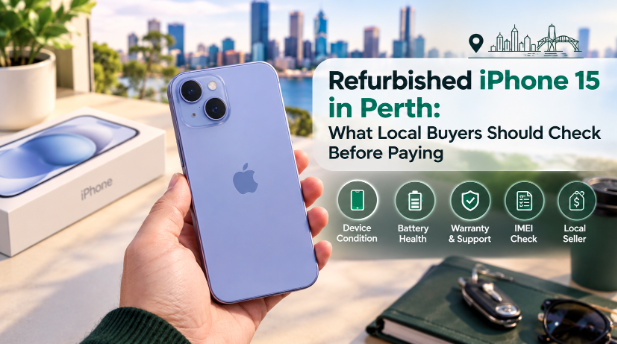
A good deal and a good phone are not always the same thing. Sometimes the cheap listing hides a tired battery. Sometimes it hides a locked account. And sometimes it hides both.
If you live in Perth, this matters even more. Let’s walk through exactly what to check before you hand over a single dollar.
Why Perth Buyers Need to Be Extra Careful
Perth sits far from the east coast. That changes a few things. Many online sellers ship from Sydney or Melbourne. A return can take days instead of hours. A small problem can turn into a long wait.
Local heat adds another twist. Perth summers are hot. Heat is hard on phone batteries. So a phone that lived through several summers may carry more wear than its screen suggests.
None of this is a reason to skip refurbished. It is simply a reason to check properly. A few smart steps will protect you.
Stop One: Read the Listing Like a Detective
Start with the listing itself. It tells you a lot before you ever meet the seller.
Look at the photos first. Are they pictures of the actual phone? Or are they polished studio shots borrowed from Apple’s website? Stock images hide scratches and dents. A seller with nothing to hide has no reason to use them.
Then read the wording. Vague phrases like “good condition” mean very little. Clear details mean a lot. Look for storage size and battery percentage. Look for the cosmetic grade too.
This is where Trade.com.au does things differently. Every listing carries pictures of the exact handset in stock. No borrowed images. Marks and all. So you judge the real phone before you click anything.
Stop Two: Read the Battery Like a Story
Battery health tells you how hard a phone has worked. Open Settings. Tap Battery. Then tap Battery Health and Charging.
The iPhone 15 also shows a cycle count here. This number tells you how many full charges the battery has been through. Apple designed the iPhone 15 battery to hold up to 80 percent of its capacity after 1000 cycles. So a low cycle count is a very good sign.
Aim for a health reading above 85 percent. Anything lower should lower the price too. Ask for a screenshot of this screen if you cannot hold the phone yourself.
Stop Three: Check the Parts History
This step surprises many buyers. Go to Settings. Tap General. Then tap About. Scroll down to Parts and Service History.
This screen shows whether any parts were replaced. It also shows whether those parts are genuine Apple parts. A warning here points to an unofficial repair. That repair may have used cheaper components.
A clean history is a good sign. A warning is not always a dealbreaker. But it deserves a direct question to the seller.
Stop Four: Run the IMEI Before You Pay
Next, check the IMEI number. Dial star pound zero six pound on the phone. The number appears on screen.
Now type it into a free online IMEI checker. This shows whether the phone is blacklisted or reported stolen. It can also show unpaid finance attached to the device.
This takes two minutes. It can save you hundreds of dollars. Never skip it. A phone can look perfect and still be useless on a network.
Stop Five: Confirm It Is Truly Unlocked
Many listings say “unlocked.” Not all of them mean it. So test it.
Pop in your own SIM card. Wait for the signal bars to appear. Make a quick call. If a message says the SIM is not supported, the phone is locked.
Next, check the account side. The phone must be signed out of the previous owner’s Apple ID. Find My iPhone must be turned off. Otherwise, the phone can lock itself and become a very expensive paperweight.
Stop Six: Put Every Feature Through Its Paces
Now test the basics. Do not rush this part.
Open the camera and take a photo with both lenses. Record a short video and play it back. Test Face ID by setting it up fresh. Plug in a USB-C cable and watch the phone charge. Press every button. Play music through the speaker. Make a call and listen on both ends.
That is a lot of testing for one person. This is exactly why good sellers do it for you. Trade.com.au runs a 72-point inspection on every phone before it earns a listing. That is seventy-two separate chances to catch a fault. By the time a phone reaches you the hard detective work is already done.
Stop Seven: Lock In Your Safety Net
The last check is about the future. What happens if something fails after you pay?
With a private seller, the answer is usually nothing. The money is gone. The problem is yours. Buying from a business is different. Australian Consumer Law gives you rights when you buy from a business. Private sales usually do not offer the same protection.
A written warranty adds even more comfort. Ask how long it lasts. Ask what it covers. Then get it in writing.
Trade.com.au covers every phone for twelve months. Think about that for a moment. If the camera glitches in month eleven, you are still protected. A full year is a long time to feel safe.
Meeting a Seller Safely in Perth
Sometimes a private sale makes sense. If you go this route, stay safe.
Meet in a busy public place. A shopping centre entrance works well. So does a well-lit cafe during the day. Avoid quiet car parks and late-night meetups.
Bring a friend if you can. Or at least tell someone where you are going. Take your time with every check above. A real seller will never rush you. Pressure is a warning sign.
A Second Opinion From a Refurbished Specialist
Smart buyers read more than one source. A little extra research goes a long way. Phonebot is a refurbished specialist that publishes helpful buying guides on certified refurbished phones. Reading guides like these helps you spot red flags faster. It also helps you compare how different sellers describe condition and testing.
Knowledge is the cheapest protection you can buy.
What Should You Actually Pay?
Price matters. But price alone can mislead you.
Compare several listings with the same storage size and similar battery health. Notice the gaps. A very low price with no battery detail is a risk. A fair price with clear details is a bargain.
Think about the full picture. A slightly higher price that includes a warranty and proper testing often costs less in the long run. One failed repair can wipe out any early savings.
To see how real listings stack up, take a look at the current range of refurbished iPhone 15 phones. Compare condition and battery details side by side before you decide.
A Quick Pre-Payment Checklist
Before you pay, run through this short list.
Are the photos real? Is the battery above 85 percent? Is the parts history clean? Did the IMEI check come back clear? Does the phone work with your SIM? Is it signed out of the old Apple ID? Does every feature work? And is there a written warranty?
If you can say yes to all eight, you are in good shape. If even one answer feels shaky slow down. Ask more questions. Or walk away.
Final Thoughts
Buying a refurbished iPhone 15 in Perth can be a smart move. You save real money and still get a great phone. But the savings only count when the phone is sound.
Check the listing. Read the battery. Study the parts history. Run the IMEI. Test the unlock. Try every feature. And secure a proper warranty. Seven simple stops protect you from nearly every common problem.
Take your time. A few careful minutes now will give you years of happy use. That is a trade worth making.